
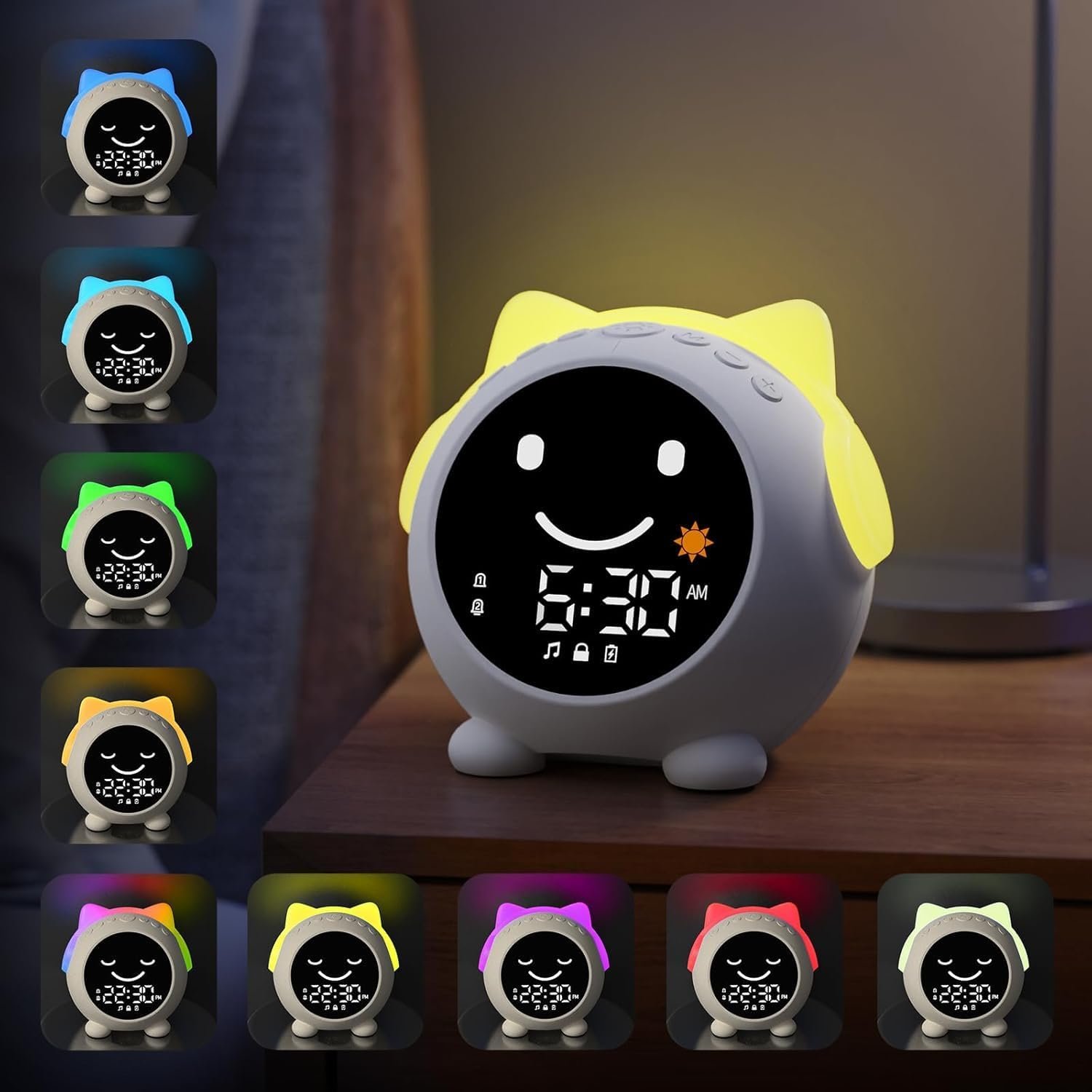
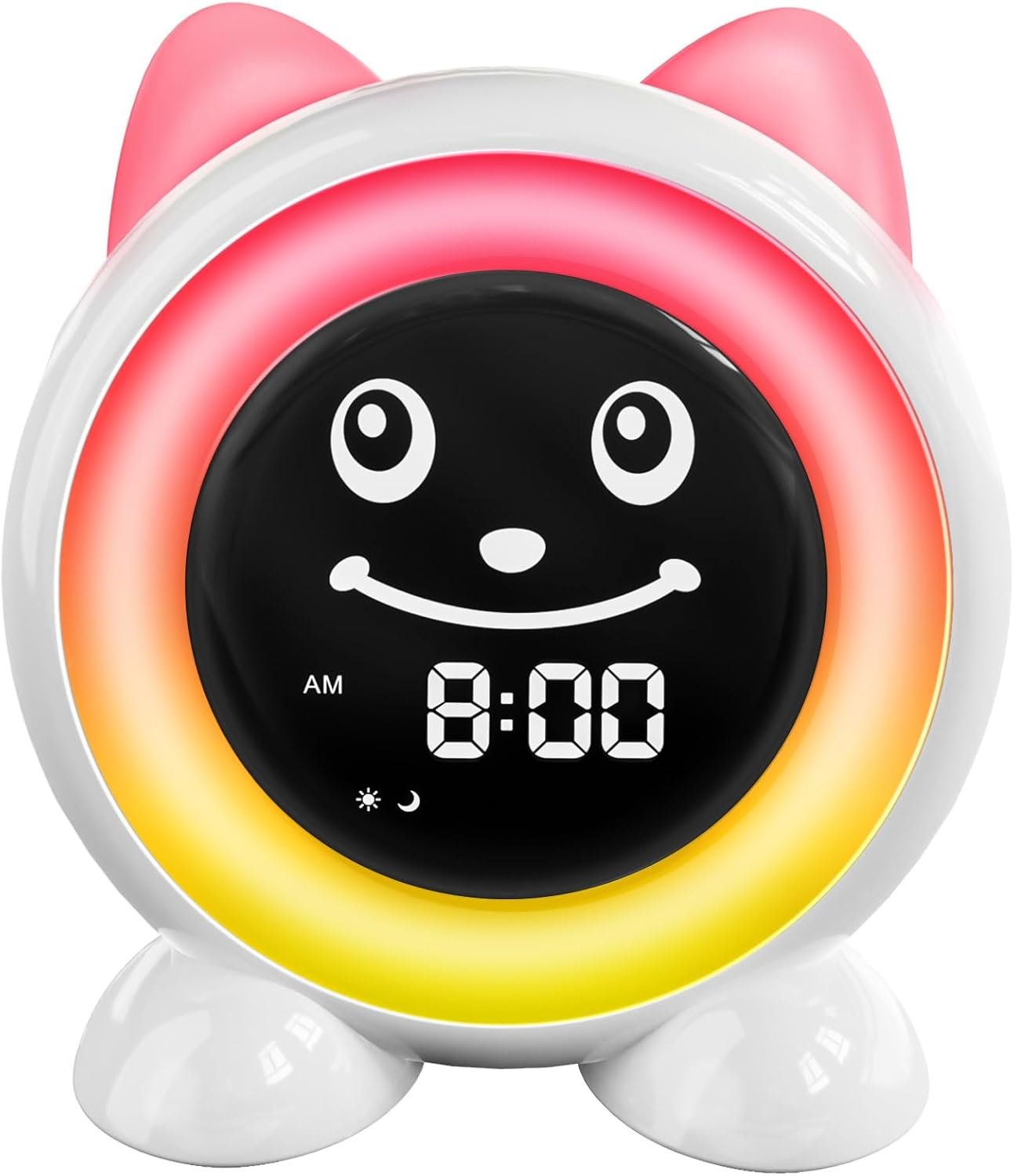
Kids Alarm Clock, Sleep Training Clock with Wake Up Light & OK to Wake System, Night Light with 9 Colors, Sound Machine & Bluetooth Speaker, Toddler Bedtime Routine Alarm Clock for Kids Bedroom
$14.99
Related Products




Product description


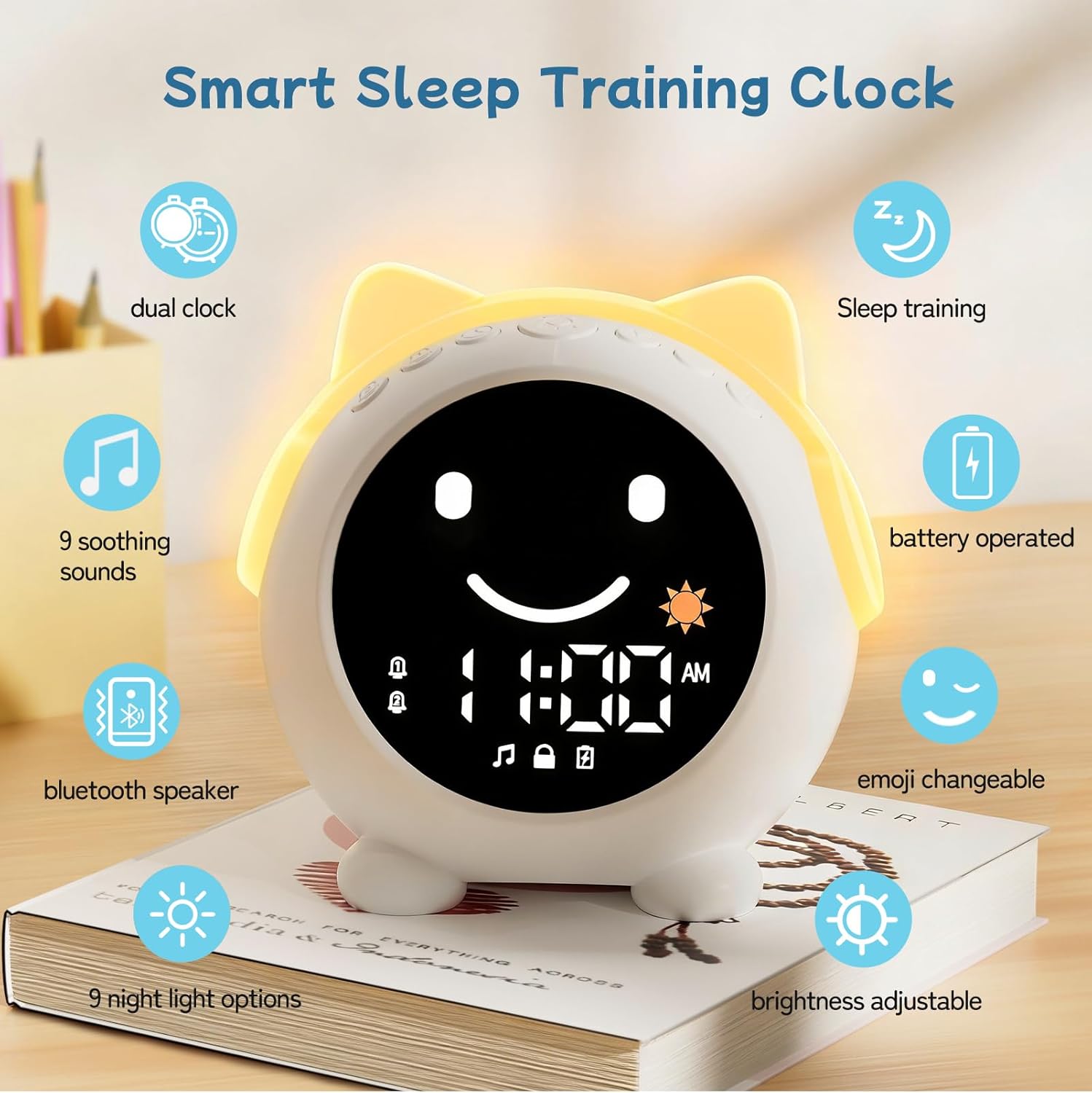
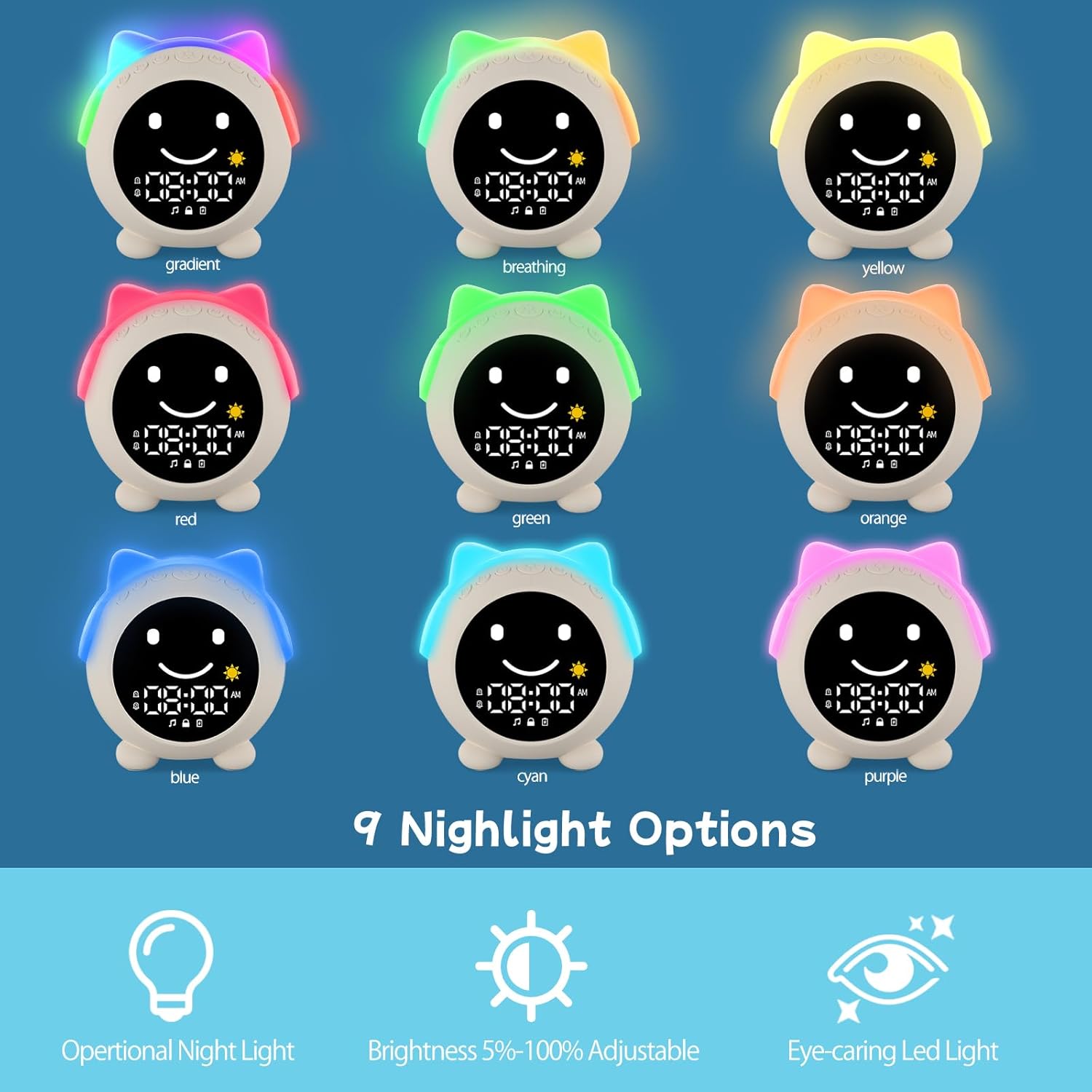
1 9 Night lights
2 Brightness adjustable
3 9 Sleepaid sounds
4 Bluetooth


1 Sleep trainning
2 Dual alarm
3 Snooze
4 5 Alarm sounds


1 Setting
2 Latest User Manual
Clock Time setting
Clock Facial: NO
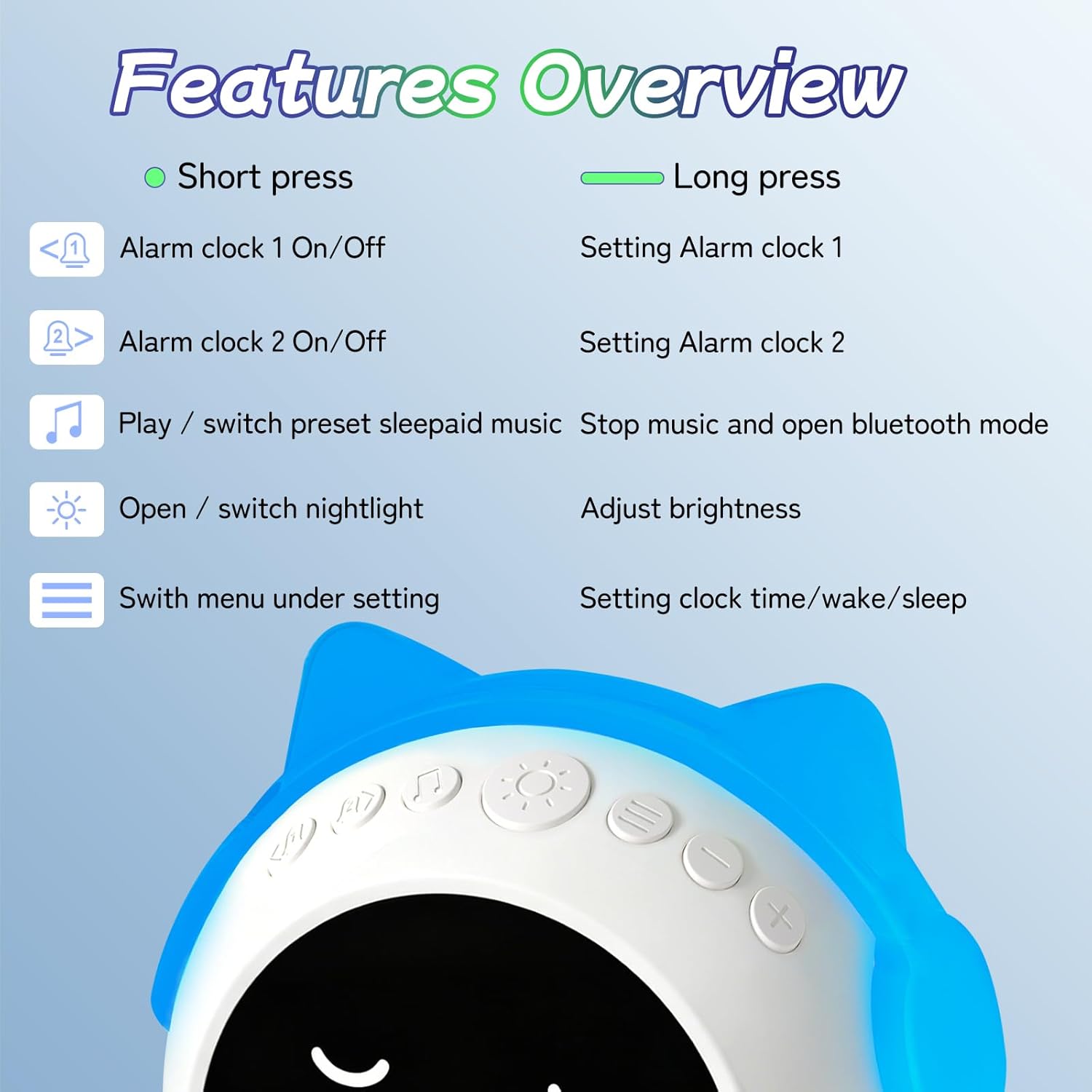
Step 1: Long press Menu button enter 12/24H setting mode, click +/- to set 12/24HStep 2: Click Menu button ,set clock timeStep 3: Click + /- to adjust number, click < / >to switch hour/minute
The video showcases the product in use.The video guides you through product setup.The video compares multiple products.The video shows the product being unpacked. Clock Time setting Merchant Video
Wake up setting
Clock Facial: Smile facial with yellow light
Step 1: Long press Menu button enter 12/24H setting modeStep 2: Click Menu button twice ,entill screen shows smile, yellow lightStep 3: Click + /- to adjust number, click < / >to switch hour/minute. Long press Light botton adjust brightness for wake up light
The video showcases the product in use.The video guides you through product setup.The video compares multiple products.The video shows the product being unpacked. Wake up time setting for kids alarm clock Merchant Video
Sleep setting
Clock Facial: Sleep facial with blue light
Step 1: Long press Menu button enter 12/24H setting modeStep 2: Click Menu button three times ,entill screen shows sleep, blue lightStep 3: Click + /- to adjust number, click < / >to switch hour/minute. Long press Light botton adjust brightness for sleep light
The video showcases the product in use.The video guides you through product setup.The video compares multiple products.The video shows the product being unpacked. Sleep setting for kids alarm clock Merchant Video
Alarm setting
Clock Facial: NO
Step 1: Long press < / > button, enter alarm setting modeStep 2: +/- set time, < / > switch hour/minuteStep 3: Click Music button enter alarm sound setting mode, click Music button choose alarm sound, +/- set alarm volume
The video showcases the product in use.The video guides you through product setup.The video compares multiple products.The video shows the product being unpacked. Alarm setting for kids alarm clock Merchant Video
Music/Bluetooth Function
Clock Facial: Normal
Step 1: Click Music button cycle (01-09) sleepaid sounds, +/- set (0-16) volumeStep 2: Long press Music button enter bluetooth mode. Device name: C1, find divice at phone and connectStep 3: Button feature: Music – play/pause, Left/right – previous/next song, +/- adjust volume
The video showcases the product in use.The video guides you through product setup.The video compares multiple products.The video shows the product being unpacked. Music & Bluetooth function for kids alarm clock Merchant Video
Night light Night light
Clock Facial: Normal
Step 1: Click Light button cycle (Gradient–breathing–monochrome–turn off)Step 2: Long press Light button to adjust brightnessStep 3: Night light will auto-off after 30 mins of inactivity
The video showcases the product in use.The video guides you through product setup.The video compares multiple products.The video shows the product being unpacked. Night light setting for kids alarm clock Merchant Video
How can I get the latest User Manual?
You can find the latest User Manual in the “Product guides and documents” section below. Simply click the “Instructions for Use (IFU) (PDF)” link to download it.
How do I set the alarm, wake‑up/sleep mode and clock on this device?
Alarm starts in left/right button, clock & wake-up / sleep mode start from menu button.They display different interfaces under settings. For detailed operation, please refer to our video.
Should I plug into power source for daily use?
This clock features a 2000mAh rechargeable battery that lasts up to 14 hours when the night light continuously on, and only requires recharging every 2 days with normal use. No time to charge? Just plug into power source.
Does this clock have any hidden features?
1 Only the light button can turn off the alarm
2 While setting wake-up/sleep, light button can customize night light brightness
3 While setting the alarm, tap music button to select alarm sounds
4 Night light will auto-off after 30 mins of inactivity
What should I do if my clock stops working?
Your alarm clock comes with 1-year after-sales service. If you encounter any issues, log into your account, go to “Your Orders” and click “Contact Seller”. We’ll resolve it within 24 hours, whether it’s troubleshooting, or replacement
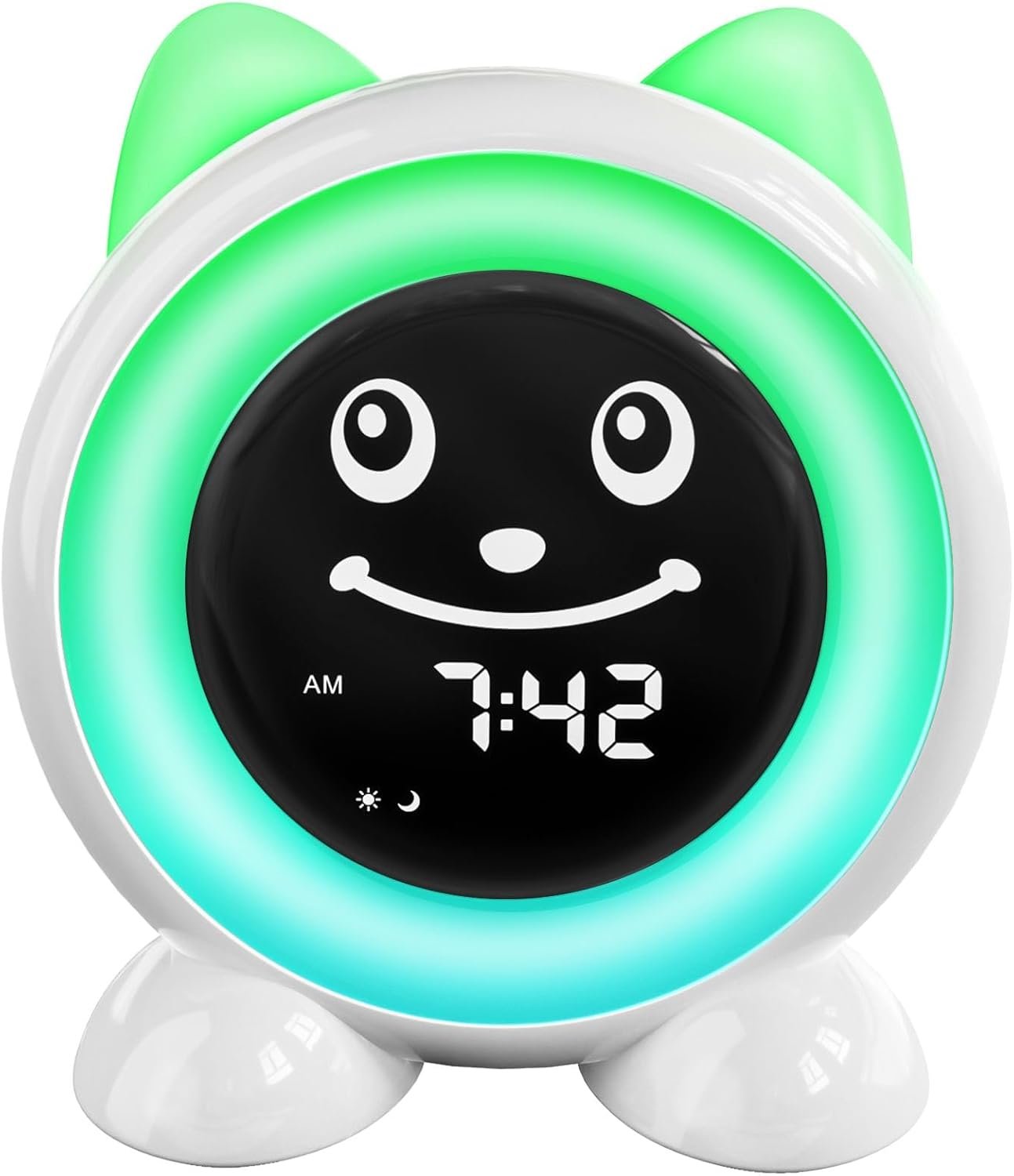
【Sleep Trainer & Ok to Wake Clock】 – Teach kids healthy sleep habits with color and facial cues that make routines easy to understand. Yellow light + sun icon + smiling face means wake-up time, while blue light + moon icon + sleepy face signals bedtime. A green light + winking face appears 30 minutes before wake-up or bedtime to help children prepare. Lights automatically turn off after 30 minutes to avoid light dependence
【Customizable Night Light with Dimmer】 – Features 9 colorful night light options and adjustable brightness from 5% to 100%. Keep it bright for daytime activities or dim it for a soft, comforting nighttime glow that won’t disturb sleep. Perfect for bedrooms, nurseries, and toddler rooms
【Easy-to-Use Design for Parents & Kids】 – Unlike complicated kids clocks with hard-to-find rear buttons, all controls are conveniently placed on top for quick access. Simple button layout and user-friendly setup make programming alarms and sleep schedules fast and stress-free
【Dual Alarms & Snooze Function】 – Includes 2 alarm settings so you can create separate schedules for weekdays and weekends or daily routines. Simply tap the clock during the alarm to activate 10-minute snooze mode. Tap again mid-alarm for additional snooze time, helping kids wake up more comfortably
【Sound Machine & Bluetooth Speaker】 – Includes 9 soothing sleep sounds and 5 wake-up alarm tones to help children fall asleep peacefully and wake up gently. Built-in Bluetooth speaker lets you connect your phone to play music, stories, or white noise anytime
【Set Clock Time–View latest User Manual at “Product guides and documents” section】 step1: Hold the Menu button for 3 seconds →step2: press Menu until only the time displays →step3: use + / – to adjust numbers and < / > to switch hour/minute →step4: settings save automatically
【Set Alarm 1 Time】step1: Hold Alarm 1 button for 3 seconds →step2: set hour →step3: press Alamr 1 button, set minute →step4: press Music button to select alarm sound →step5: use +/ – to adjust alarm volume →step6: settings save automatically
【Set Wake-Up Time】step1: hold Menu for 3 seconds →step2: press Menu 3 times until the sun icon + smile face + yellow light appear → step3: use + / – to adjust numbers and < / > to switch hour/minute→step4: long press Light button to adjust wake-up light brightness→ shep5: settings save automatically
User Reviews
Be the first to review “Kids Alarm Clock, Sleep Training Clock with Wake Up Light & OK to Wake System, Night Light with 9 Colors, Sound Machine & Bluetooth Speaker, Toddler Bedtime Routine Alarm Clock for Kids Bedroom”
$14.99
There are no reviews yet.